

Version 1.2.0 of “Bout de code” is now available. This new version mainly fixes an issue with the way code snippets from Gist.GitHub.com were displayed. But it also marks another step in integrating this block with Retraceur: “Bout de code” is now configured to be discoverable from the administration area of a Retraceur-powered site.
As I am currently testing Retraceur 4.0.0-beta2, this update also gave me an opportunity to verify, with a real-world example, that an issue identified during those tests has been fixed.
So I thought I would use this release to explain the few steps required to make a block or plugin discoverable by Retraceur, using “Bout de code” as an example.
Making a project discoverable
Since Retraceur 4.0.0, a site can discover plugins and blocks hosted on GitHub repositories.
The principle is intentionally simple: a project that wants to be offered to Retraceur users needs to provide the information required to identify it, describe it, and retrieve the version to be installed.
The Retraceur documentation explains the different elements that need to be provided:

Make your Plugin or Block discoverable, installable and upgradable from any Retraceur website.
But behind these few files and metadata are actually two distinct mechanisms, which operate at two different points in the lifecycle of a project: when Retraceur discovers a project that is not yet installed, and when it manages a project that is already installed.
That’s what I want to explain here.
Identify the project type with a GitHub topic
The first step is to tell Retraceur what kind of project it is. For “Bout de code”, which is a block, I added the retraceur-block topic to its GitHub repository.
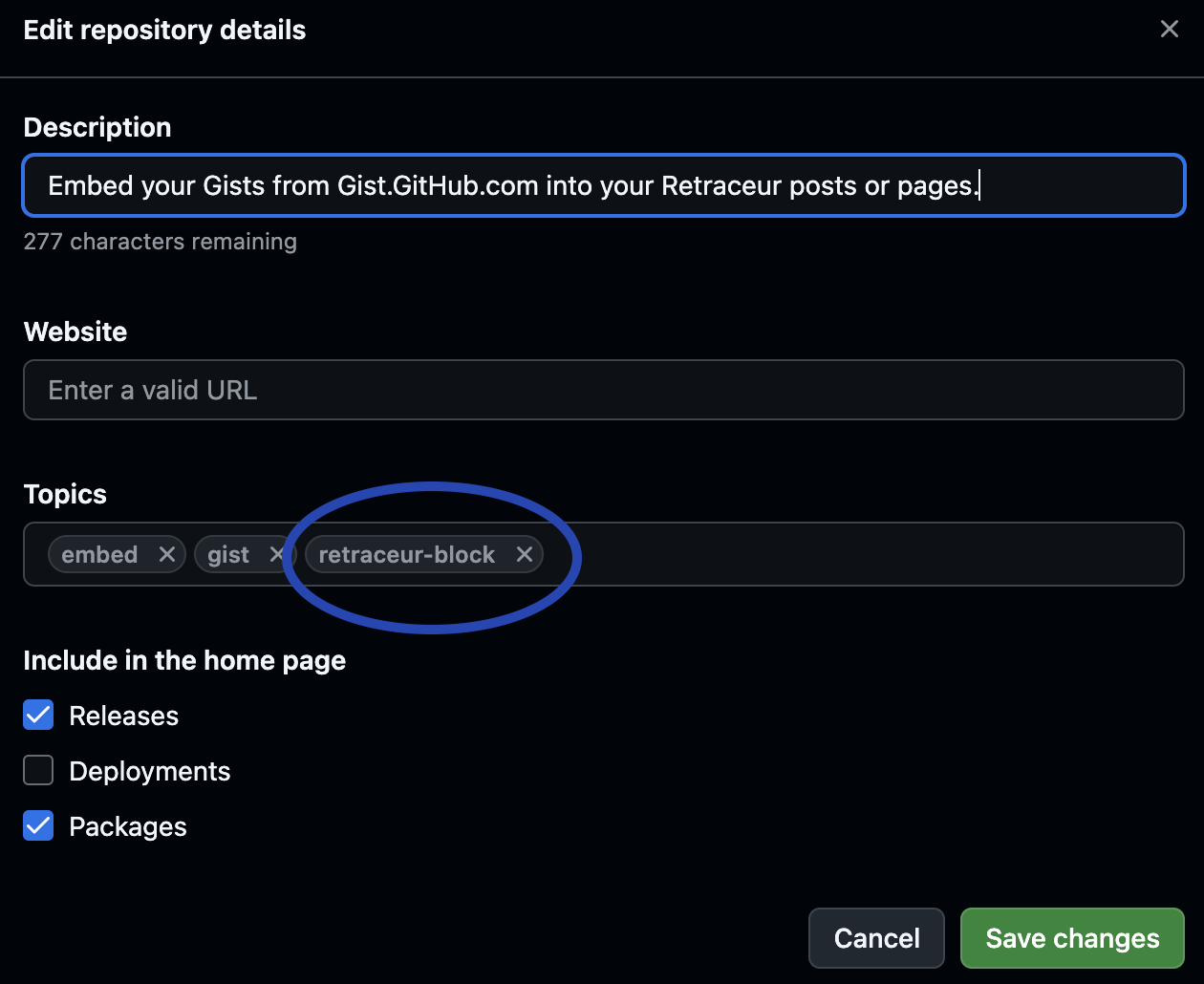
This topic allows Retraceur to identify repositories that provide a block intended to be used with Retraceur.
For a plugin, the topic to use is retraceur-plugin.
This information is therefore provided directly by the GitHub repository and allows Retraceur’s discovery mechanism to select projects that may be offered to Retraceur users.
Describe the installed project with main PHP file headers
Once a plugin or block has been installed, Retraceur needs to identify it and retrieve the information required to manage it.
For this purpose, Retraceur uses the information declared in the header comment of the main PHP file, following a mechanism inherited from WordPress.
In the case of “Bout de code”, the main file is bout-de-code.php. And since I am using “Bout de code” to display code in this article, I might as well practice what I preach:
This information is important for managing the project once it has been installed.
The header indicating the version of the block or plugin, together with the header specifying its GitHub repository URL, allows Retraceur to know which version is currently installed and where to look for a possible update.
Retraceur’s update API checks GitHub daily to see whether a newer version is available. When an update is detected, it can be offered in the Retraceur administration area so that it can be retrieved and installed.
The Plugin Type header has a different purpose: it tells Retraceur whether the project is a block or a plugin, and therefore where it should be displayed in the corresponding administration area.
These headers are therefore not simply metadata used to describe the project. They are part of how Retraceur identifies and manages a project once it has been installed.
Why keep this mechanism?
Some of you, when reading the next chapter, may ask themselves: “if Retraceur now has its own manifest, why keep the header comment in the main PHP file?”
It would indeed be possible to replace this mechanism entirely with the manifest.
But Retraceur is a fork of WordPress® and therefore retains some of its historical conventions. The mechanism used to identify and manage plugins through their headers has existed since WordPress® 1.5, released in 2005 (21 years ago!!!).
Rather than breaking with this convention, I believe it makes more sense to keep it. This also makes it possible for Retraceur to invite developers who already have a WordPress® plugin or block to provide Retraceur compatibility without asking them to reinvent the way their project is identified.
And there is another benefit: a plugin developed for Retraceur can also remain usable with WordPress®, whenever its code and features allow it.
Keeping these headers is therefore both a compatibility choice and an intentional continuation of a WordPress® convention.
Describe a project before installation with manifest.json
The Retraceur manifest serves a different purpose. It is used before installation, when Retraceur needs to discover a project and retrieve the information required to offer it for installation.
It is therefore not intended to be installed with the block or plugin and must be placed within a directory named retraceur of your GitHub repository.
In the “Bout de code” repository, I’m excluding this directory adding a specific rule is to the .gitattributes:
.gitattributes export-ignore/retraceur export-ignoreThe manifest is therefore information intended for the discovery mechanism, rather than a component of the installed block.
Retraceur’s discovery API REST controller can retrieve and parse the information required for installation without having to process the entire project as if it were already installed.
A schema to make creating the manifest easier
Creating the manifest is also made easier by the JSON Schema maintained in the Retraceur resources repository.
All you need to do is declare the schema in the manifest as shown at line 2 of the code snippet above. Editors that support JSON Schemas, such as Visual Studio Code, can then provide property autocompletion and flag structural or value errors.
It is a small detail, but it makes creating the file significantly more convenient.
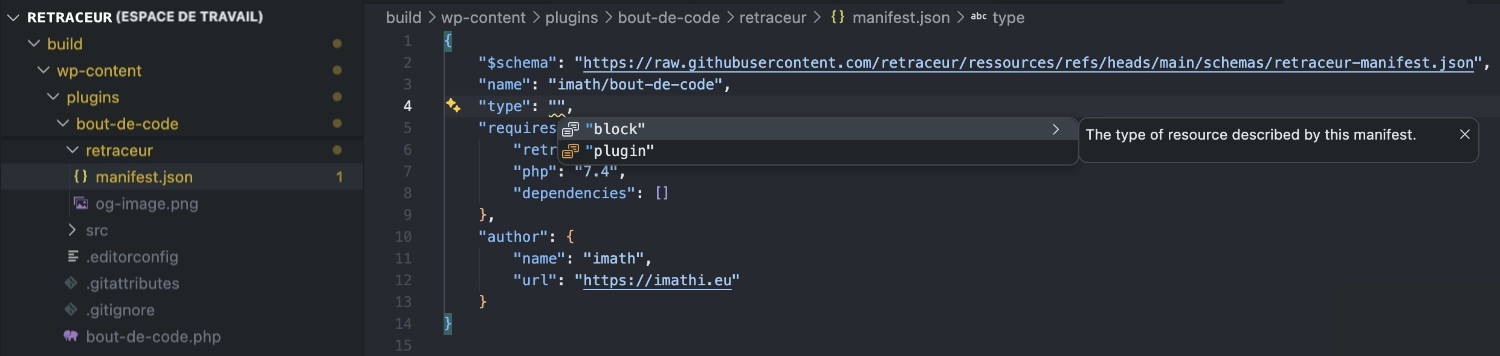
Add a preview image
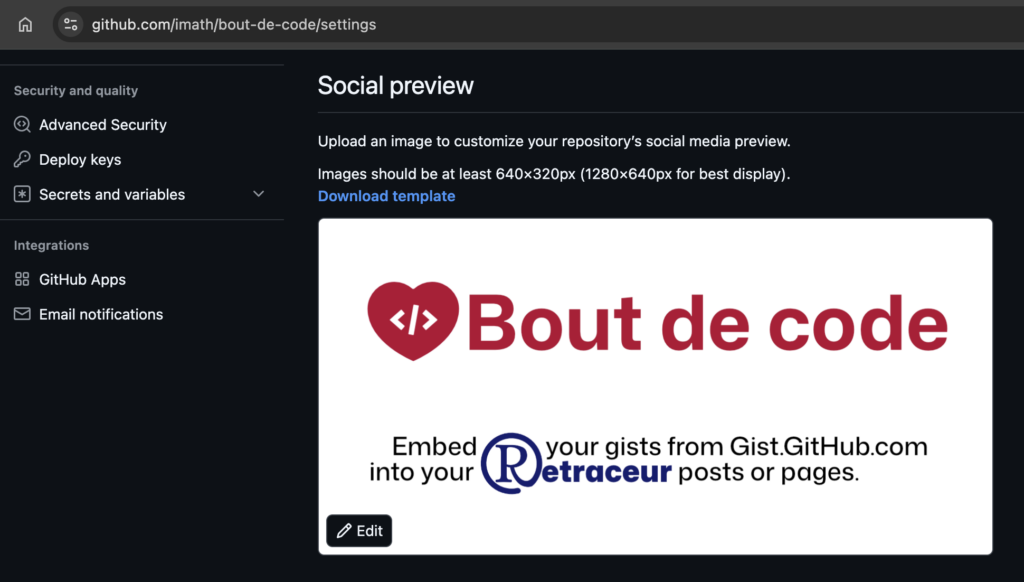
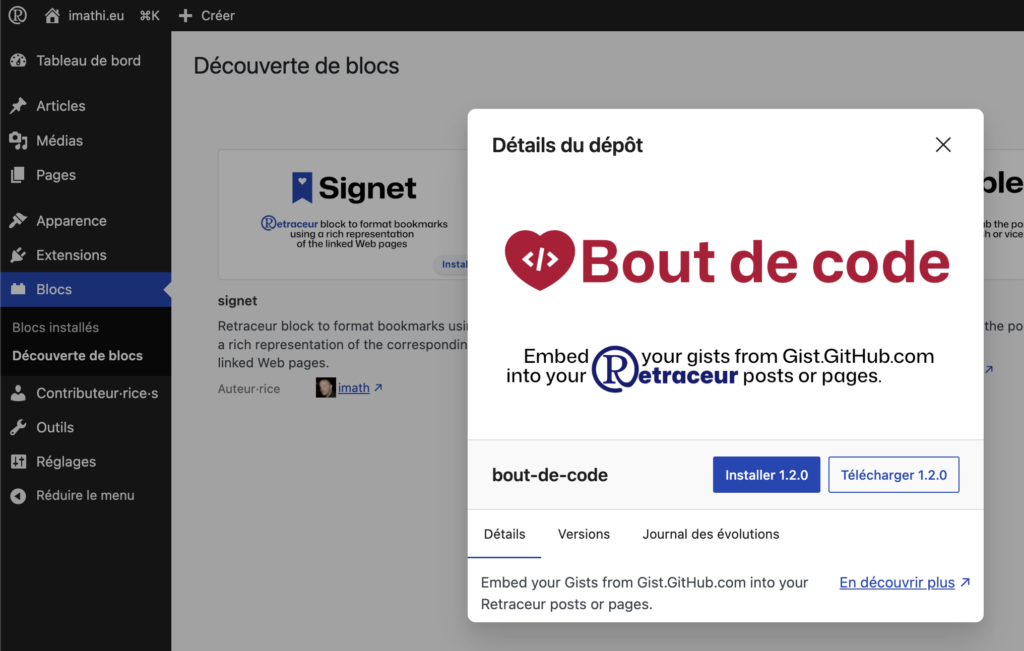
As shown in the above screenshot, the manifest can also be accompanied by an image used to illustrate the project in the discovery interface. This image must be a PNG file and named og-image.png.
I did not create a specific illustration for this purpose, though. I simply reused the same image I use for the repository’s Social Preview on GitHub.
This keeps the project’s presentation consistent between GitHub and Retraceur’s discovery interface, while avoiding the need to maintain two different images
Publish a version with a GitHub Release
Once the repository has been configured, the next step is to publish a version.
For “Bout de code”, this means publishing version 1.2.0 as a GitHub Release.
There is, however, one important detail to remember.
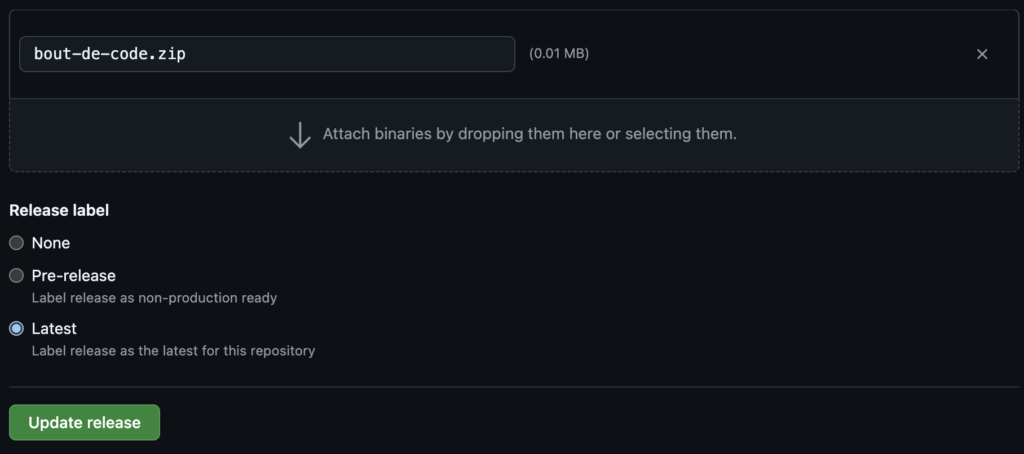
Creating the Release and assigning it a version number is not enough: the archive corresponding to the published version must also be added to the Release as an Asset making sure to name it according to the repository slug, for example bout-de-code.zip.
This Asset is the file Retraceur can retrieve when an installation or update of the plugin or block is requested.
It is therefore an important part of the publishing process, even though it can easily go unnoticed if you normally use GitHub Releases simply as a version changelog.
Verify discovery from Retraceur
Once the repository has been configured and the version published, the final step is to check that everything works from a Retraceur-powered site.
This is exactly what I was able to do with Retraceur 4.0.0-beta2. The block is correctly identified and the information published in its repository is properly used by Retraceur.
This verification also allowed me to test something more important.
An update that gave me an opportunity to test a Retraceur fix
During my testing of Retraceur 4.0, I identified an issue with the plugin and block discovery mechanism. It is tracked in issue #236.
Publishing “Bout de code” 1.2.0 gave me a good opportunity to verify the fix with a real project.
I was able to reproduce the scenario by publishing a new version of the block and then checking how Retraceur updated the information used by its discovery mechanism.
The test was successful: the issue identified in #236 is now resolved.
So, what started as a fairly focused update to “Bout de code” also gave me a practical way to validate an important part of the new discovery mechanism introduced in Retraceur 4.0.0.
So, what’s new in “Bout de code” 1.2.0?
This update is, of course, not only about making the block discoverable. It also fixes an issue I had noticed with the way code snippets from Gist.GitHub.com were displayed.
The rendered code could inherit a font defined by the theme or by other CSS rules on the site, which was not particularly suitable for reading code. I therefore improved the styling of Gists by making sure the required CSS variables are properly defined.
Version 1.2.0 also raises the block’s requirements to:
- Retraceur 3.2.0 or later;
- PHP 7.4 or later.
Install “Bout de code”
Once the bout-de-code.zip Block archive is downloaded from the asset section of the 1.2.0 GitHub release note, you’ll just need to upload it on your Website from your Block Administration screen.
Featured photo credits : Christina @ wocintechchat.com M on Unsplash
Note: The WordPress® trademark is the intellectual property of the WordPress Foundation. The use of the WordPress® name in this article is for identification purposes only and does not imply endorsement by the WordPress Foundation.

Conversation
Rejoignez la conversation depuis Bluesky